












About Minecraft
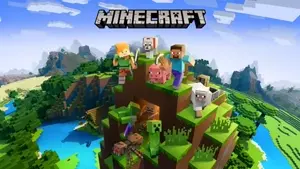
Few games have made a mark on the gaming world quite like Minecraft. Originally launched by Mojang Studios in 2011 and later acquired by Microsoft, Minecraft isn’t just a game—it’s a cultural phenomenon beloved by millions worldwide. With its signature blocky cartoon visuals and limitless possibilities, Minecraft invites players of all ages to dive into its open-world sandbox experience, where exploration, crafting, and survival unfold in exciting ways.
Every inch of Minecraft is made from blocks: trees, mountains, caves—you name it. You can reshape these blocks to create anything your imagination dreams up: simple huts, sprawling cities, or complex redstone machinery. The game’s versatility truly shines through its modes:
- Survival Mode: Gather resources, battle monsters, and face the thrill of survival challenges.
- Creative Mode: Let your creativity run free—build anything with infinite materials.
- Adventure Mode: Immerse yourself in story-driven maps designed by players.
- Hardcore Mode: Dare the ultimate challenge—survival with only one life.
- Spectator Mode: Explore the world without interacting.
Whether you're discovering hidden dungeons or designing incredible landscapes, Minecraft is a game where creativity meets adventure.
How To Play
Minecraft's intuitive gameplay has something for everyone. New to the game? Here’s how!
Basic Gameplay
Start by gathering essential materials like wood and stone. Use these resources to craft tools, build shelters, and eventually expand your reach to complex creations. In Survival Mode, nighttime is when danger emerges—zombies, skeletons, and creepers roam the darkness, so be prepared to defend yourself!
In Creative Mode, materials are unlimited, allowing you to construct freely without fear of enemies. Let your imagination run wild by designing dream cities, sky-high castles, or entire cartoon-inspired landscapes.
Exploration and Adventure
As you explore the procedurally generated world, you’ll discover villages, temples, and even portals to other dimensions like the Nether or The End. Every new discovery offers opportunities for crafting, treasure hunting, and facing unique challenges.
Special Features and Options
Minecraft thrives on community creations like mods, custom maps, and multiplayer servers. Mods can transform the game with new creatures, biomes, and mechanics, while servers let players collaborate, compete, and build together in shared worlds.
Minecraft Controls Guide
Basic Movement W – Move forward A – Move left S – Move backward D – Move right Spacebar – Jump Shift – Sneak or crouch E – Open inventory Esc – Pause or open the menu
Building & Interaction Left Click – Break blocks or attack Right Click – Place blocks or use items 1–9 – Select items from the hotbar Q – Drop item F5 – Change camera view
Other Commands F3 – Open debug information (coordinates, FPS) F1 – Toggle HUD T – Open chat or enter commands
Whether you’re digging for diamonds, taming animals, or mastering redstone circuits, Minecraft truly offers a cartoon-styled adventure packed with infinite possibilities.